 Blurize
Blur faces. Keep your privacy.
Blurize detects and blurs faces and license plates in your videos and photos — entirely on your phone. Pick what to hide, choose a style, export. Your media never touches a server. Ever.
No microphone access · No AI face recognition · Works fully offline
Your face never leaves your device
Every step — scanning, detection, blurring and export — runs on your phone's own hardware. Nothing is uploaded, stored, or analysed in the cloud.
100% offline processing
No servers, no uploads. Photos and videos are processed locally and are never transmitted anywhere.
Pick exactly who to hide
Blurize finds each distinct face and shows it as a thumbnail. Select the ones you want concealed — leave the rest untouched.
Seven concealment styles
Gaussian blur, pixelate, frosted glass, black & white, solid color, emoji stickers, and inverse — with rectangular or oval masks.
No AI recognition
Faces are tracked by on-device detection only — no embeddings, no clustering, no identity profiles. Privacy by design.
Videos & photos
The same pipeline handles both. Scrub through a video, fine-tune manual boxes, and export with the quality you choose.
What you see is what you export
The editor preview is rendered by the real engine — the output matches exactly what you see before you save.
License plates too
Dashcam clips, street videos and photos: Blurize finds the plates and hides them with the same tools you use for faces.
Change the voice
Make a voice deeper, higher or robotic, or set your own pitch — and hear it before you export. No microphone, ever.
Many photos at once
Pick several photos and hide the faces and plates in all of them in one go.
Share straight in
Send photos or a video to Blurize from your gallery or any other app with the Share button.
Your work is saved
Every import becomes a project on your device. Close the app, come back later — your scan and edits are where you left them.
In 11 languages
English, Turkish, Spanish, Portuguese, German, French, Japanese, Korean, Italian, Dutch and Russian.
See it in action
Import, pick the faces to hide, choose a style, export. Every step runs on your device — no uploads at any point.
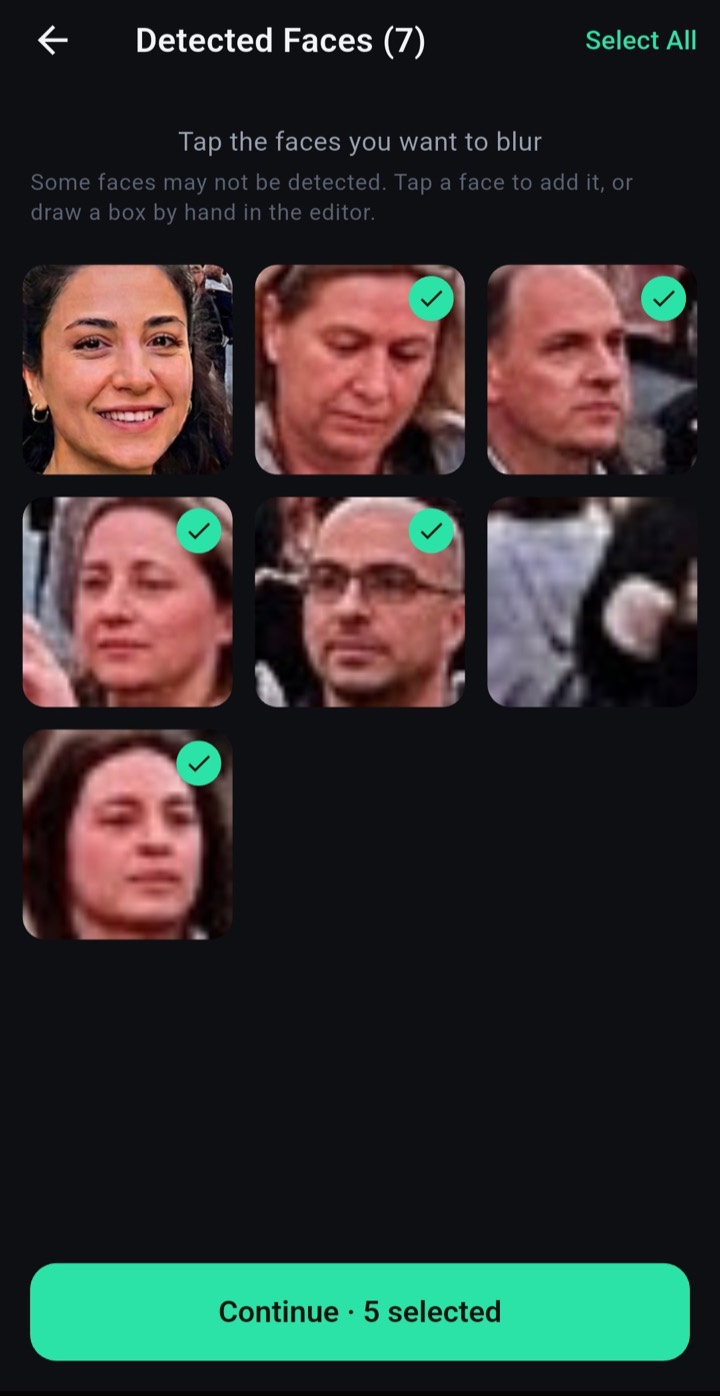
Every face, as a thumbnail
Blurize finds each distinct face on-device and lets you tap exactly who to conceal.
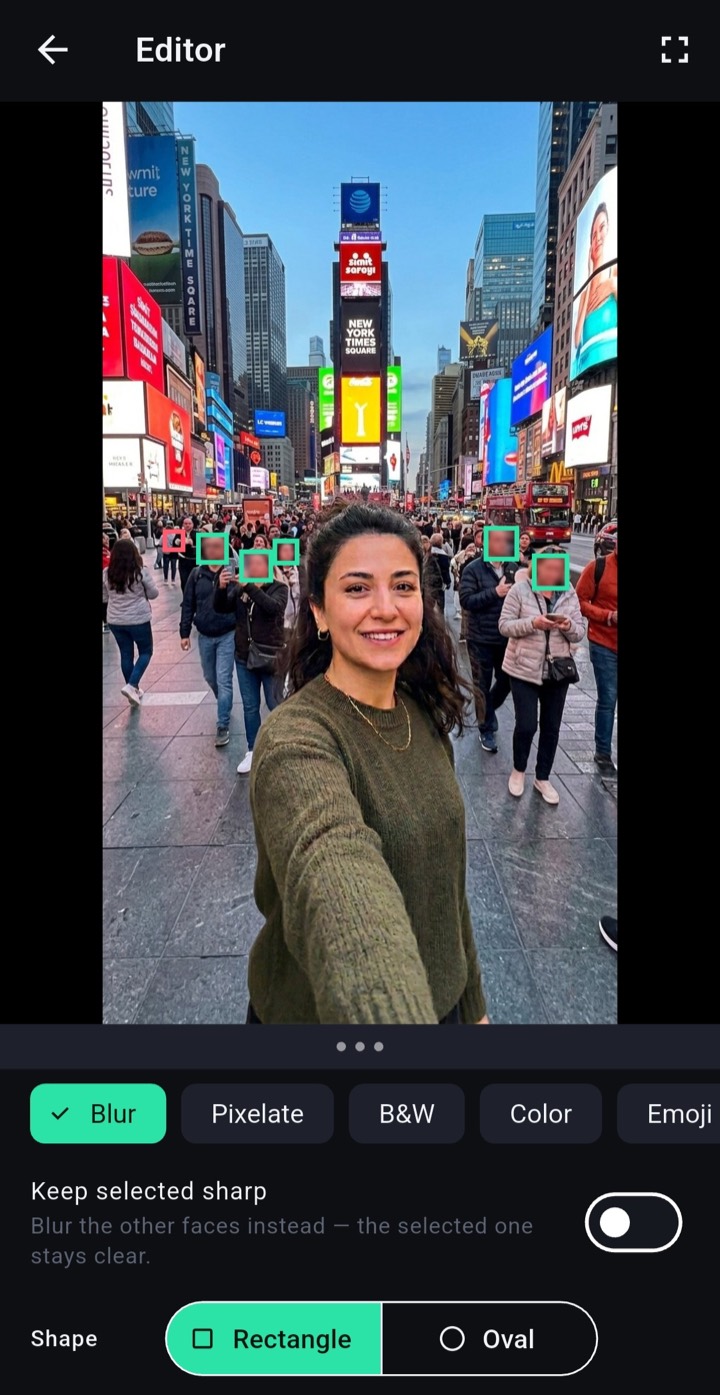
Blur, pixelate, emoji & more
Fine-tune boxes by hand and pick a concealment style — with a live, true-to-output preview.
Save a clean new file
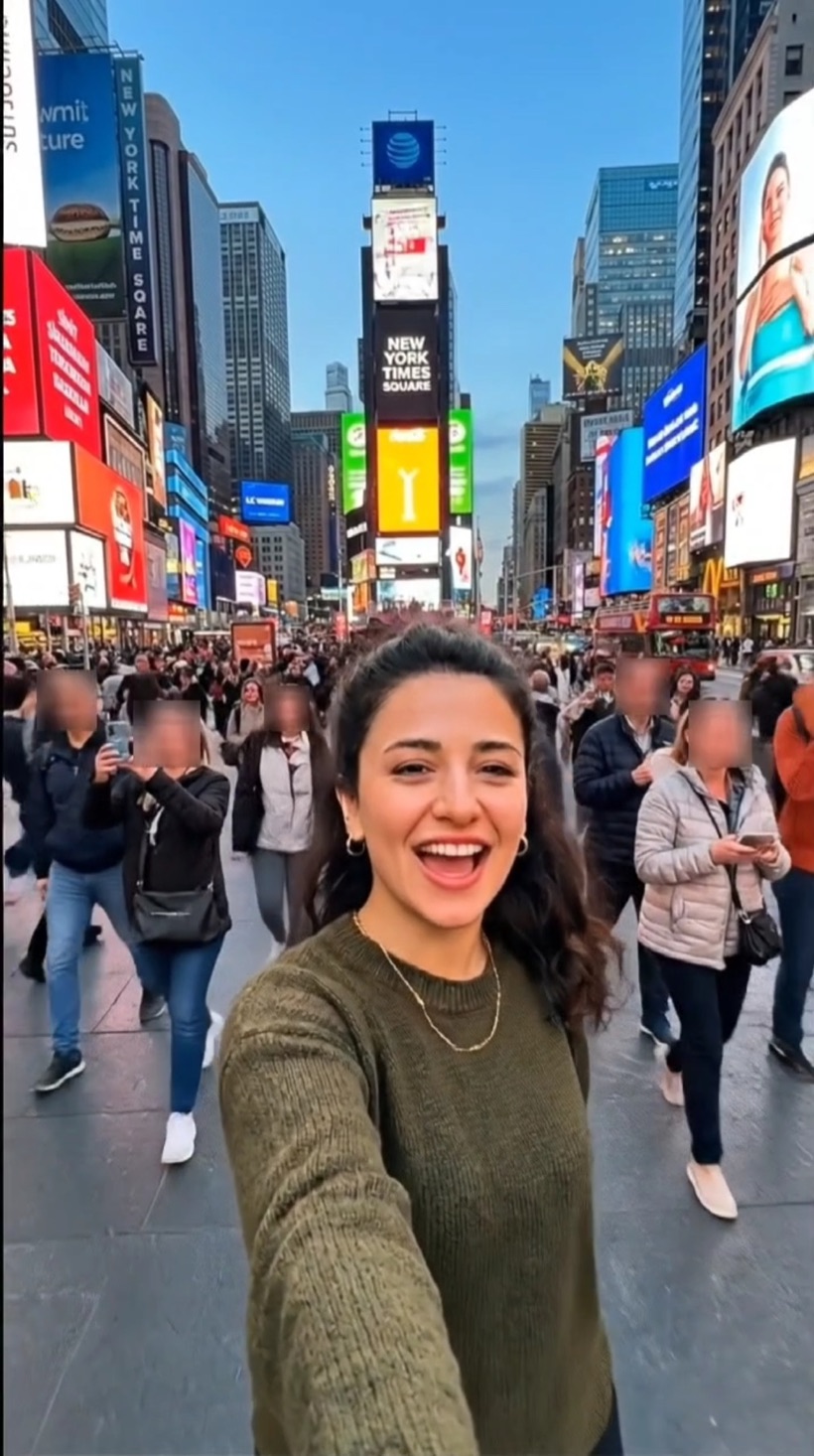
Render and save to your device. Bystanders concealed, your subject sharp — nothing uploaded.
Start free. Go premium when you need more.
The free plan blurs up to 1 minute of video with Gaussian blur and pixelate. Premium unlocks everything.
- Up to 10 min video
- No Blurize watermark
- All concealment styles
- Everything in Weekly
- Up to 1080p export
- Best price per month
- All premium features
- Pay once, keep forever
- No recurring billing
Hide a face. Keep your privacy.
Blurize never sends your media anywhere — it stays on your device, from the first scan to the final export. Free to download.